Designing a To-Do App for Homeschoolers
Project Type: Mobile App Design
Role: UX/UI Design, Graphic Design, Prototyping
Tools: Figma, Illustrator, Photoshop
Timeline: Spring 2025
Overview
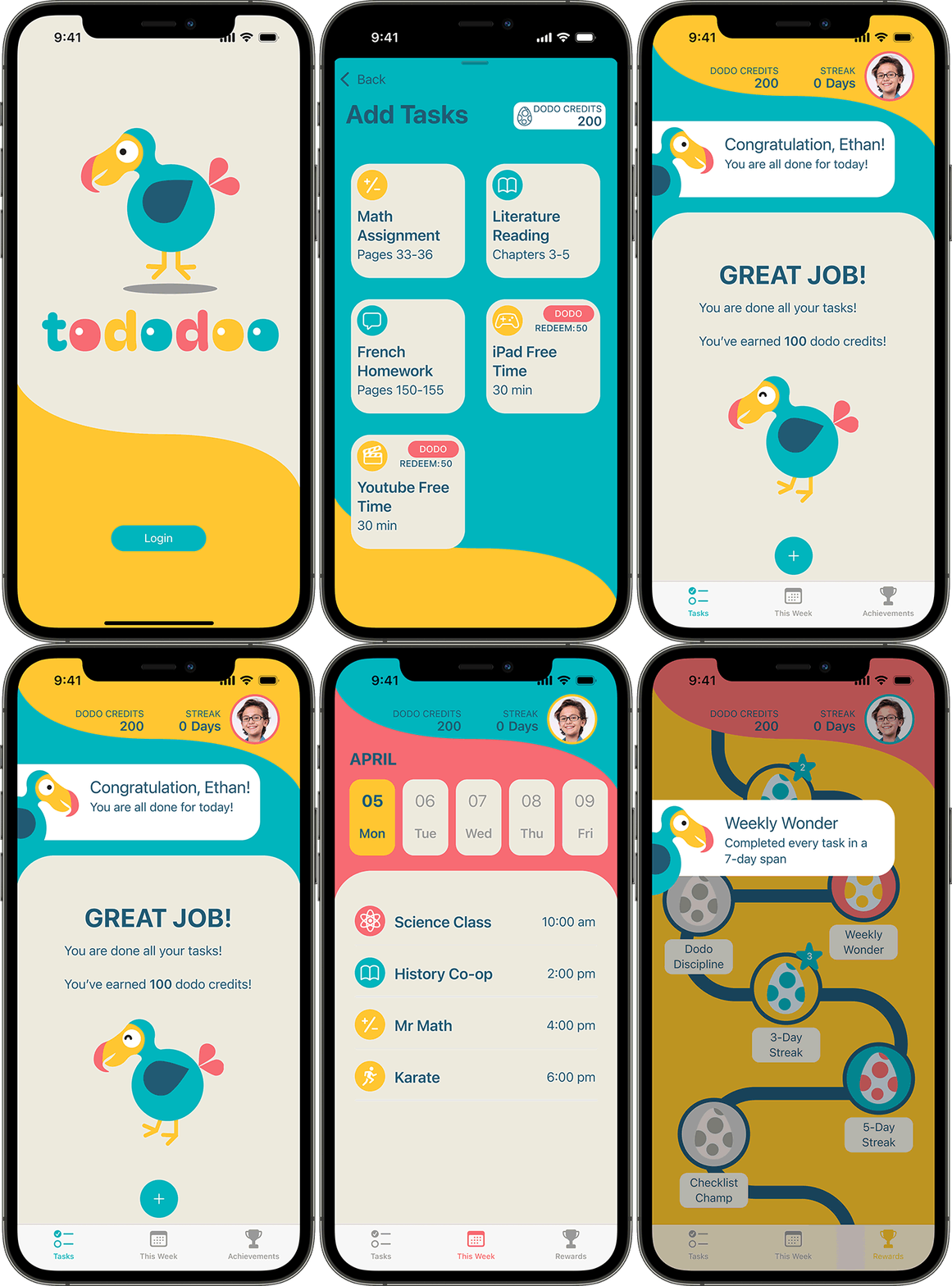
Tododoo is a kid-friendly daily task management app designed for elementary-aged homeschoolers. It helps children stay organized, build routines, and take ownership of their learning, while giving parents the tools to plan and support their day.
With bright visuals, simple interactions, and rewards for consistency, Tododoo bridges the gap between flexibility and structure in homeschooling.
The Missing Routine
Problem
Homeschooling offers flexibility, but without the structure of a traditional classroom, young learners often lack a clear, consistent routine. Parents must constantly manage daily planning and reminders, while children have limited visibility into what's expected.
Existing productivity tools are built for adults—few are accessible or engaging for kids. Homeschooling families need a task management solution tailored to both parent and child needs.
Listening to the Flock
Research
To design a solution that truly meets the needs of homeschooling families, I conducted research on both the existing product landscape and the daily routines of potential users.
Key Pain Points:
- Young learners lack a clear and engaging daily structure
- Parents face high cognitive load in managing tasks and routines
- Most existing tools are too complex or unmotivating for kids
- Families need flexible tools that balance autonomy and guidance
- Tools rarely account for neurodiverse learning needs
Competitive Analysis
I examined existing checklist, homework, and habit tracker apps to understand the competitive landscape. These included Todoist, PocketList, TickTick, and Clear for general to-do list functionality; myHomework and Cozi Family Organizer for school- and family-oriented scheduling; and a variety of habit trackers. While many apps offer robust features, most are not designed for young users or homeschool settings.
Common issues included:
- Overly complex interfaces
- Lack of visual motivation
- Limited support for dual parent-child roles
User Personas
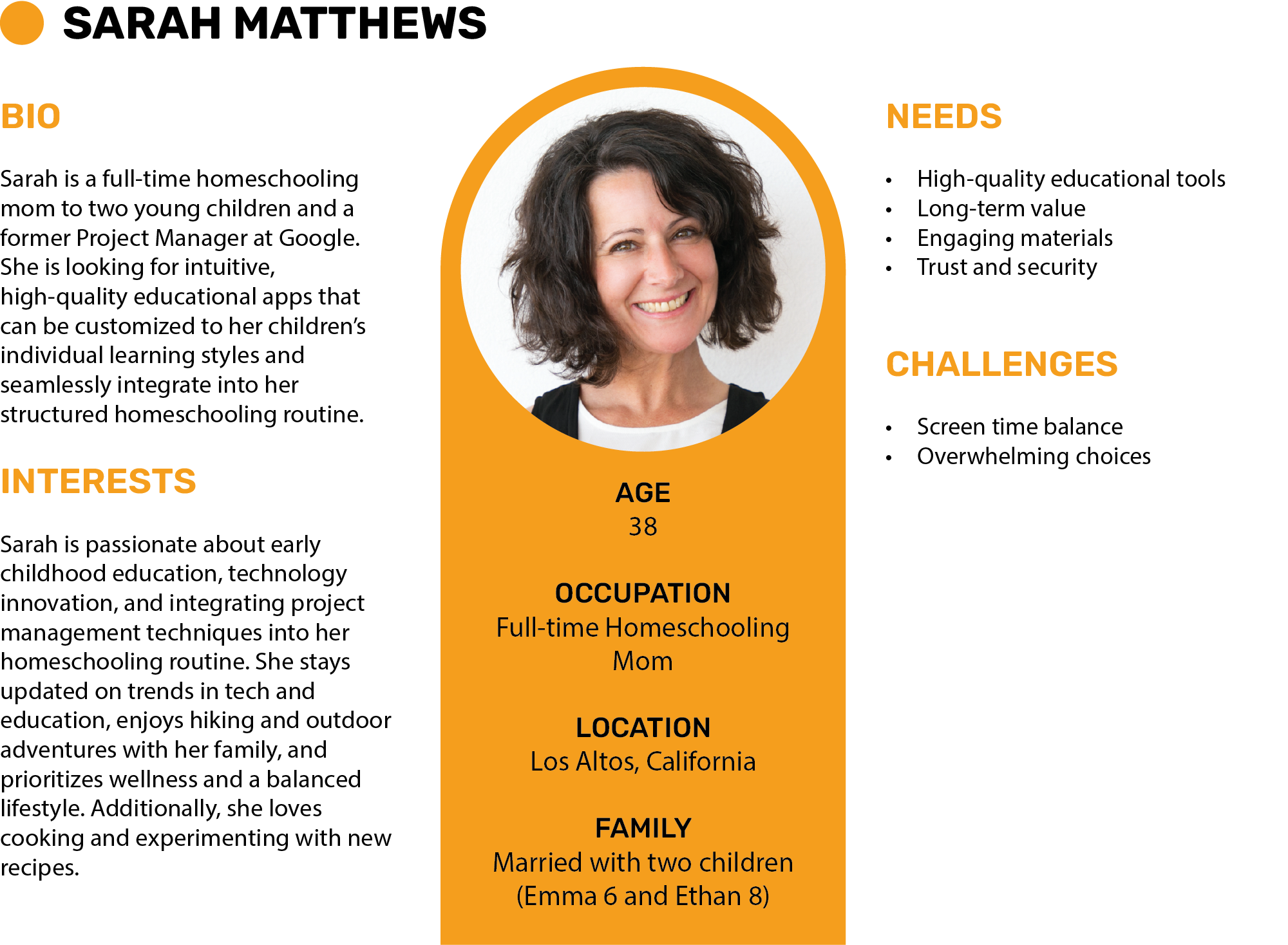
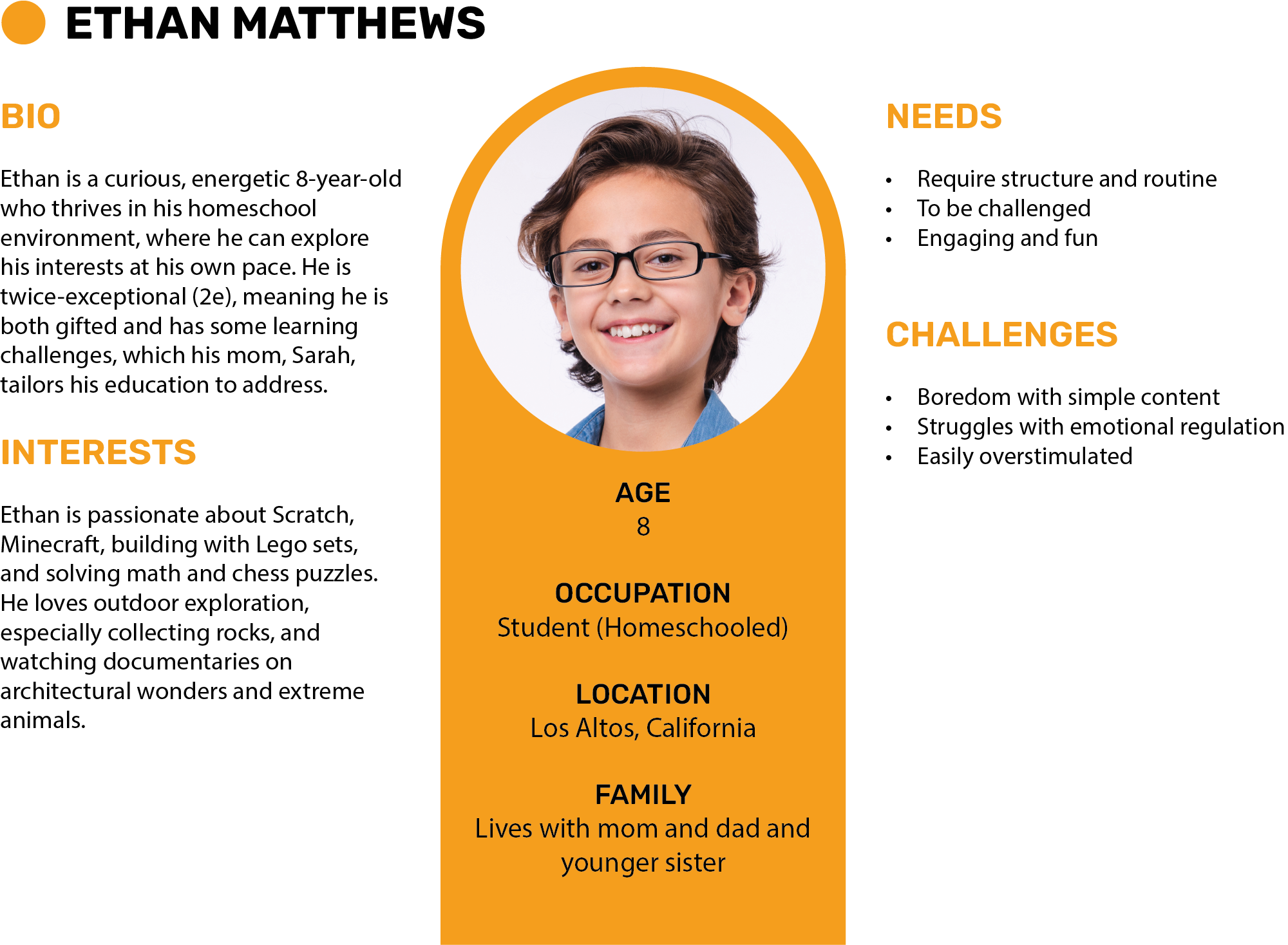
To understand user needs, I developed two key personas:
A Tool to Let Young Learners Soar
Goal
The goal of this project is to design a dual-interface task management app that supports young homeschoolers in independently managing their day, while allowing parents to control setup, schedules, and oversight.
Objectives:
- Build an engaging and intuitive daily checklist.
- Reward consistency with motivational feedback.
- Keep the kid experience focused, visual, and fun—without clutter or complexity.
Hatching the Right Features
Ideas
These strategic, user-centered features are what make Tododoo stand out from conventional to-do apps. Each one is designed to address one or more of the five core pain points identified through user research. Together, they support young learners and reduce the mental load for homeschooling parents.
Daily Checklist
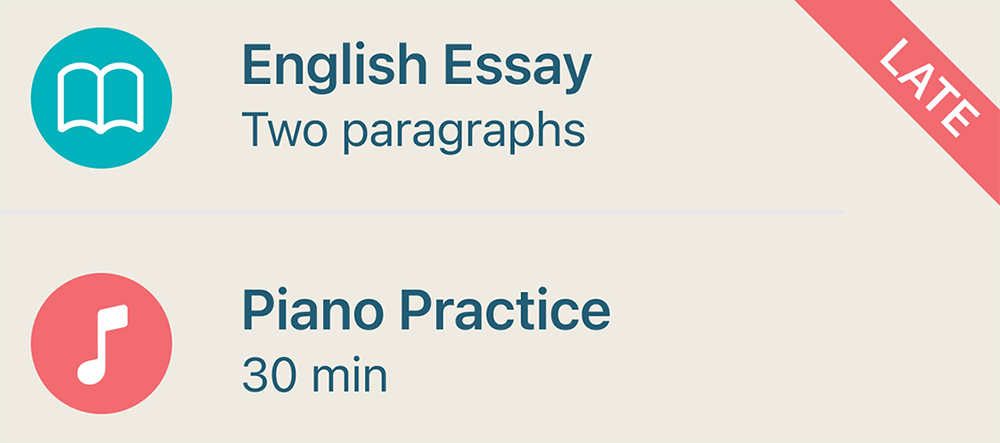
- Automatic rollover of incomplete tasks to the next day
- Recurring schedule for specific tasks (e.g., French every Tuesday)
- Child can only add tasks from parent-defined task lists
- Solves: Young learners lack a clear and engaging daily structure
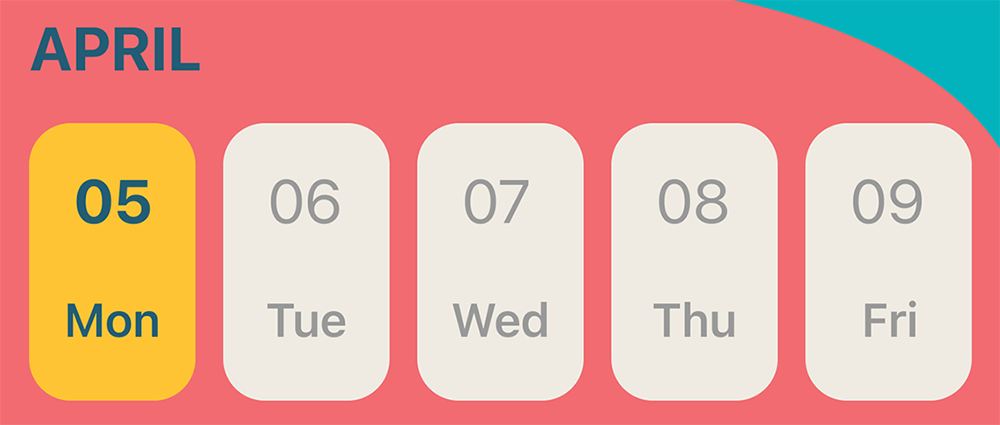
Rolling Weekly View
- Weekly schedule overview showing upcoming classes and events, helping children anticipate what's ahead
- Solves: Families need flexible tools that balance autonomy and guidance
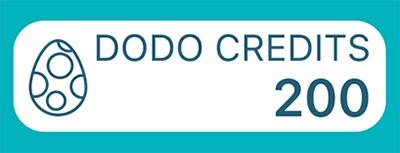
Dodo Credits
- Earned from completing tasks; redeemable for fun activities
- Solves: Most existing tools are too complex or unmotivating for kids
Minimal UI Clutter
- Large touch targets and simple single-click interactions, with minimal confirmation alerts
- Solves: Tools rarely account for neurodiverse learning needs.
Parent Interface
- Central hub for task creation, scheduling, and monitoring
- Solves: Parents face high cognitive load in managing tasks and routines
Test Flights in Progress
Iterations
Throughout the design process, I created low-fidelity wireframes, interactive prototypes, and conducted informal testing with homeschooling families. Feedback guided several key refinements, including increasing touch target sizes, refining task completion mechanics (checkbox versus swipe), deciding whether the weekly view should show 5 or 7 days, and adding the option to disable animations to accommodate sensory needs.
Options marked with an asterisk (*) were selected for the final prototype based on user feedback.
Prototyping the Task Completion Mechanics
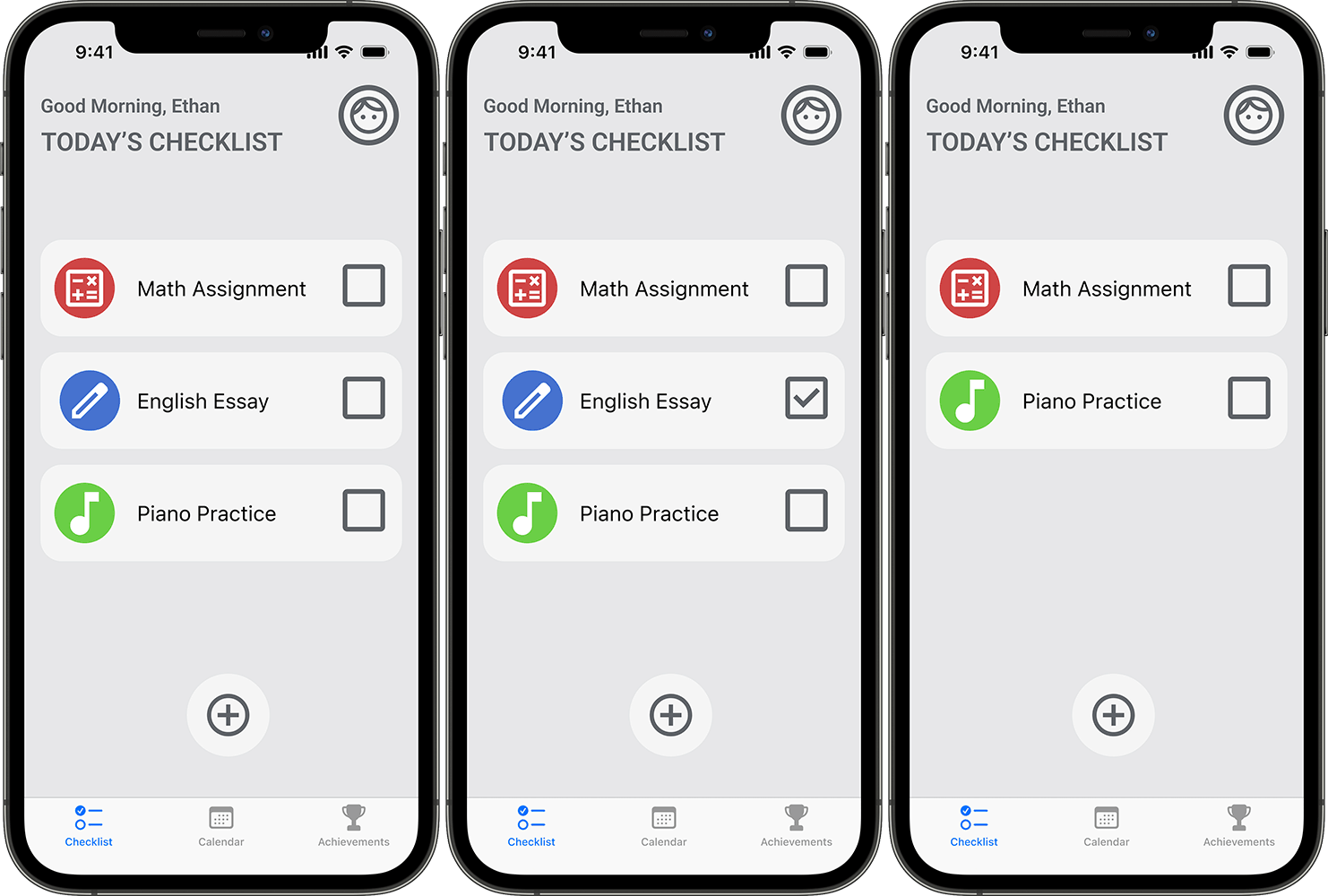
Checkboxes
Findings: Clear and obvious, but contributed to visual clutter
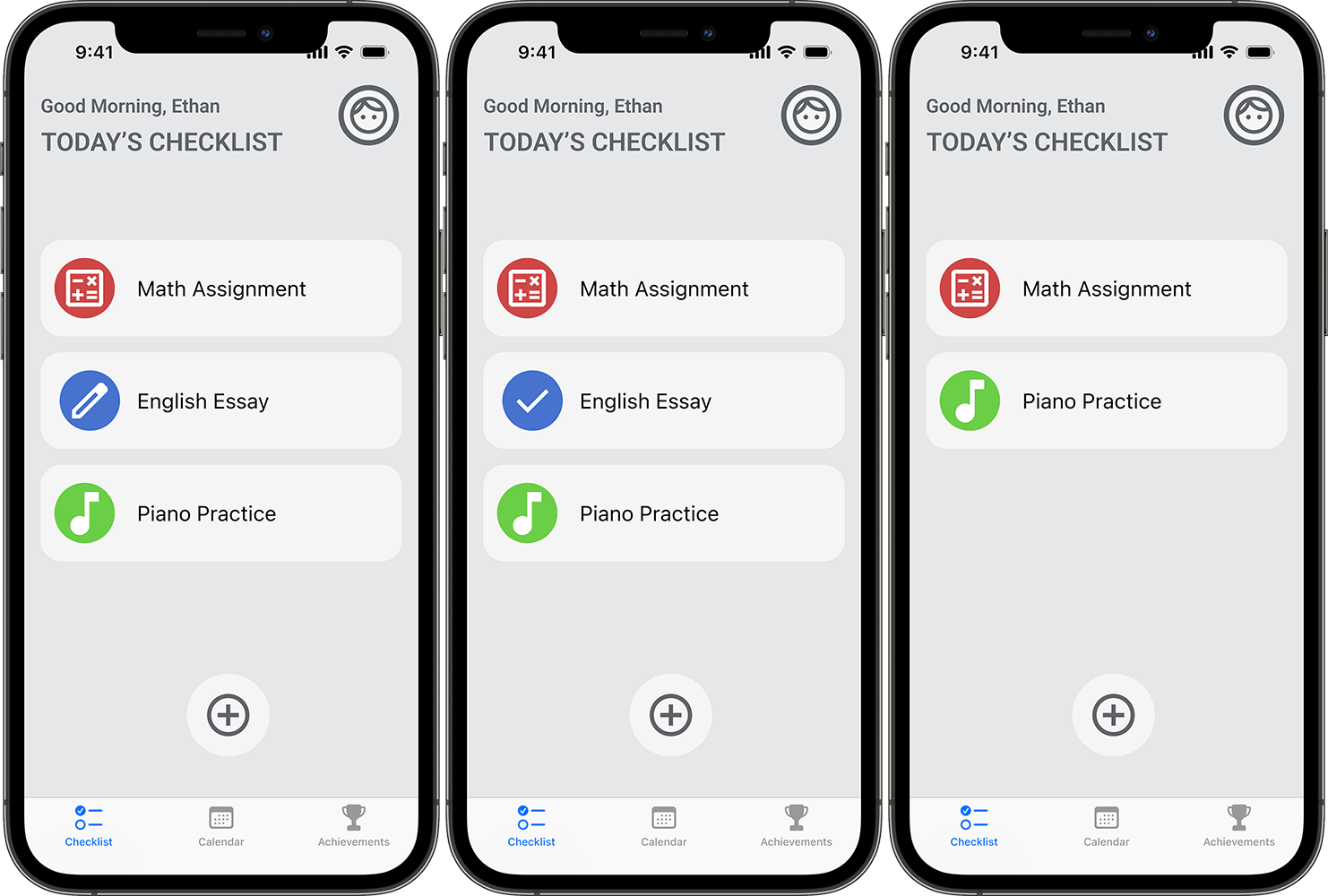
Icon Checkboxes
Findings: Testers did not recognize it as interactive and were unsure where to click.
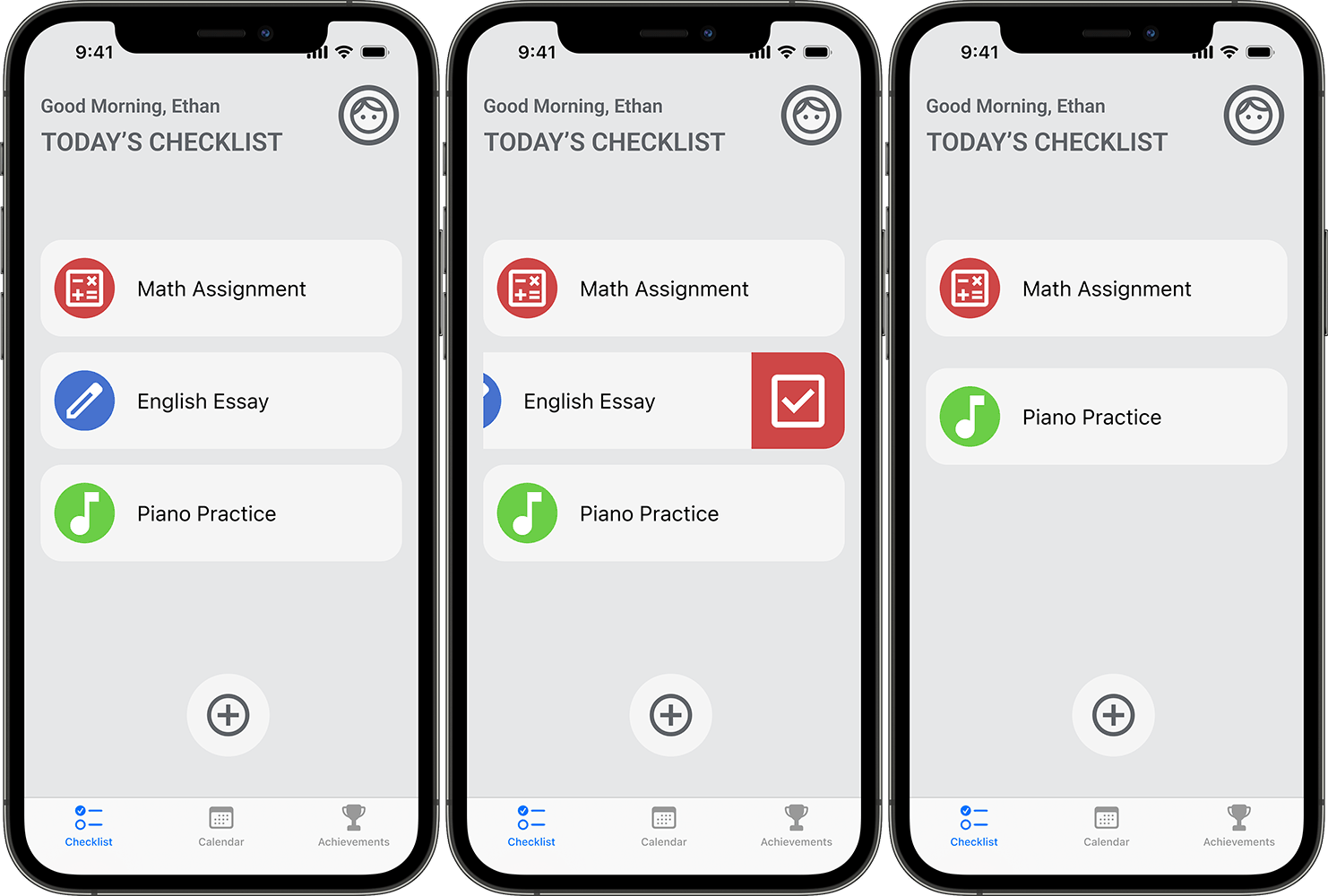
Swipe & Click*
Findings: Preferred by testers. The two-step interaction reduced accidental completions and felt more deliberate.
Testing Task Selection Interactions
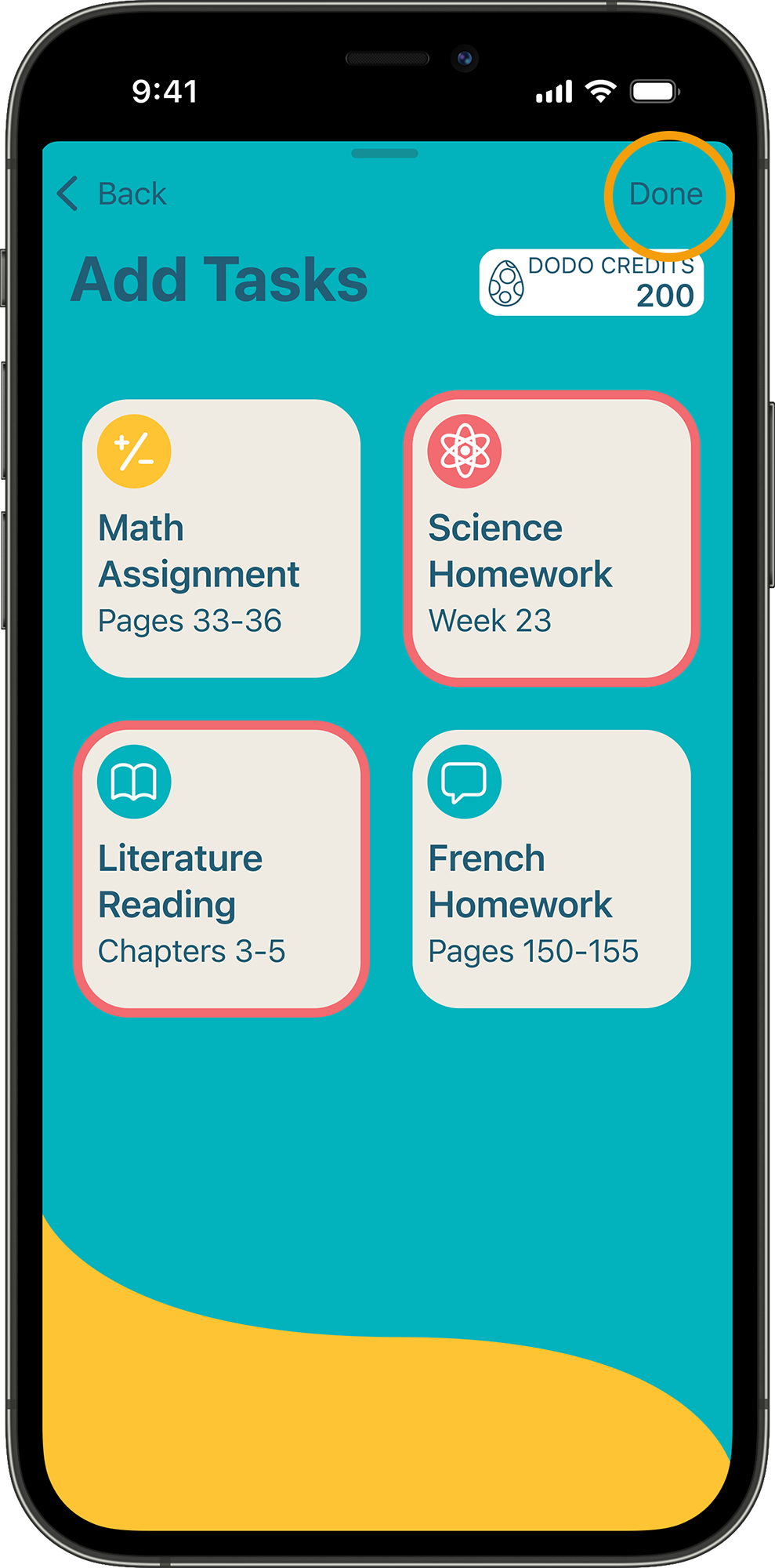
Multi-select with Done button
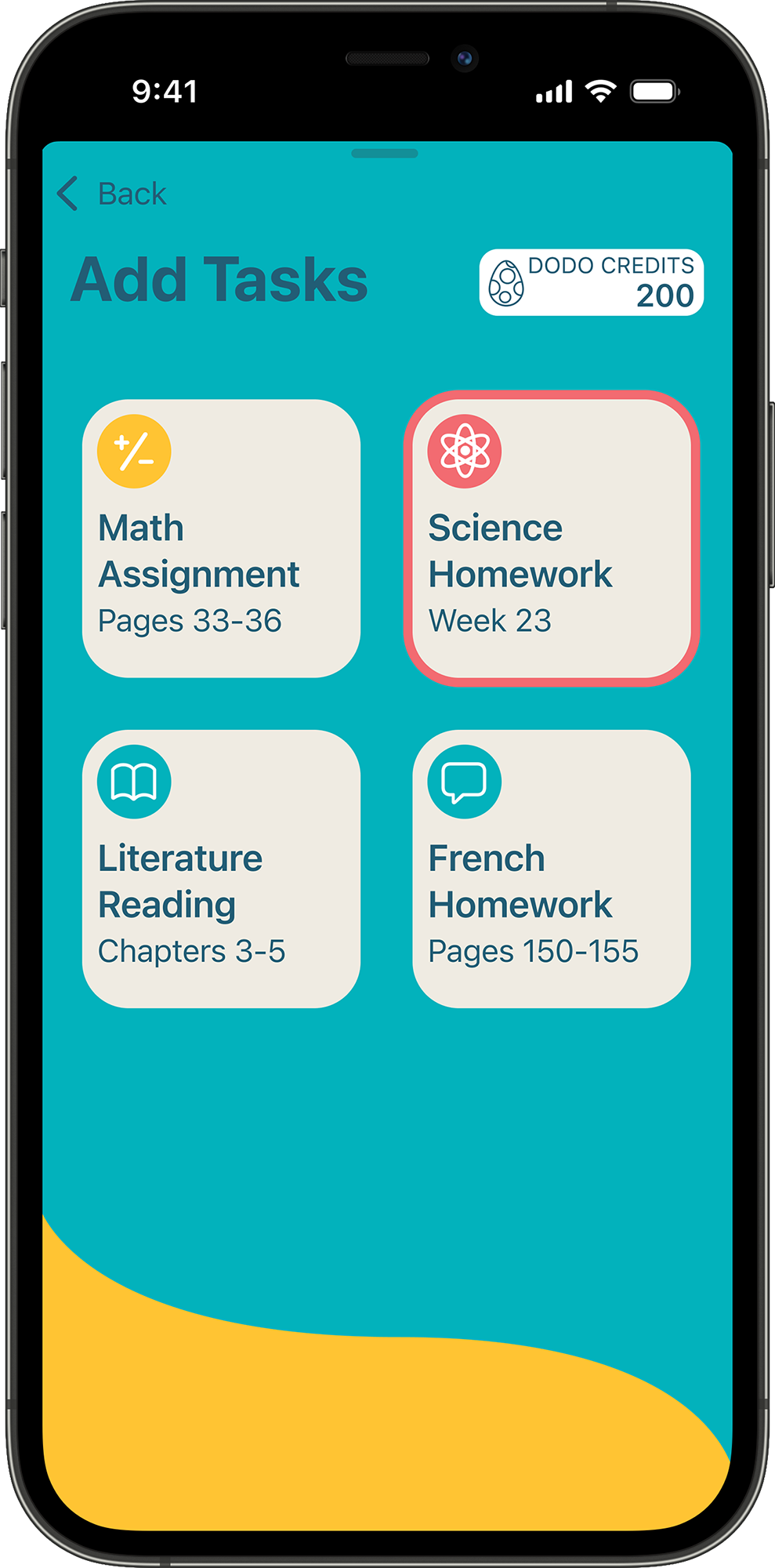
Single-select (tap to add)
Findings: Young testers did not find the multi-select flow intuitive. They expected to tap a task once to add it, without needing to confirm by pressing a separate Done button.
Evaluating Confirmation Popup Styles
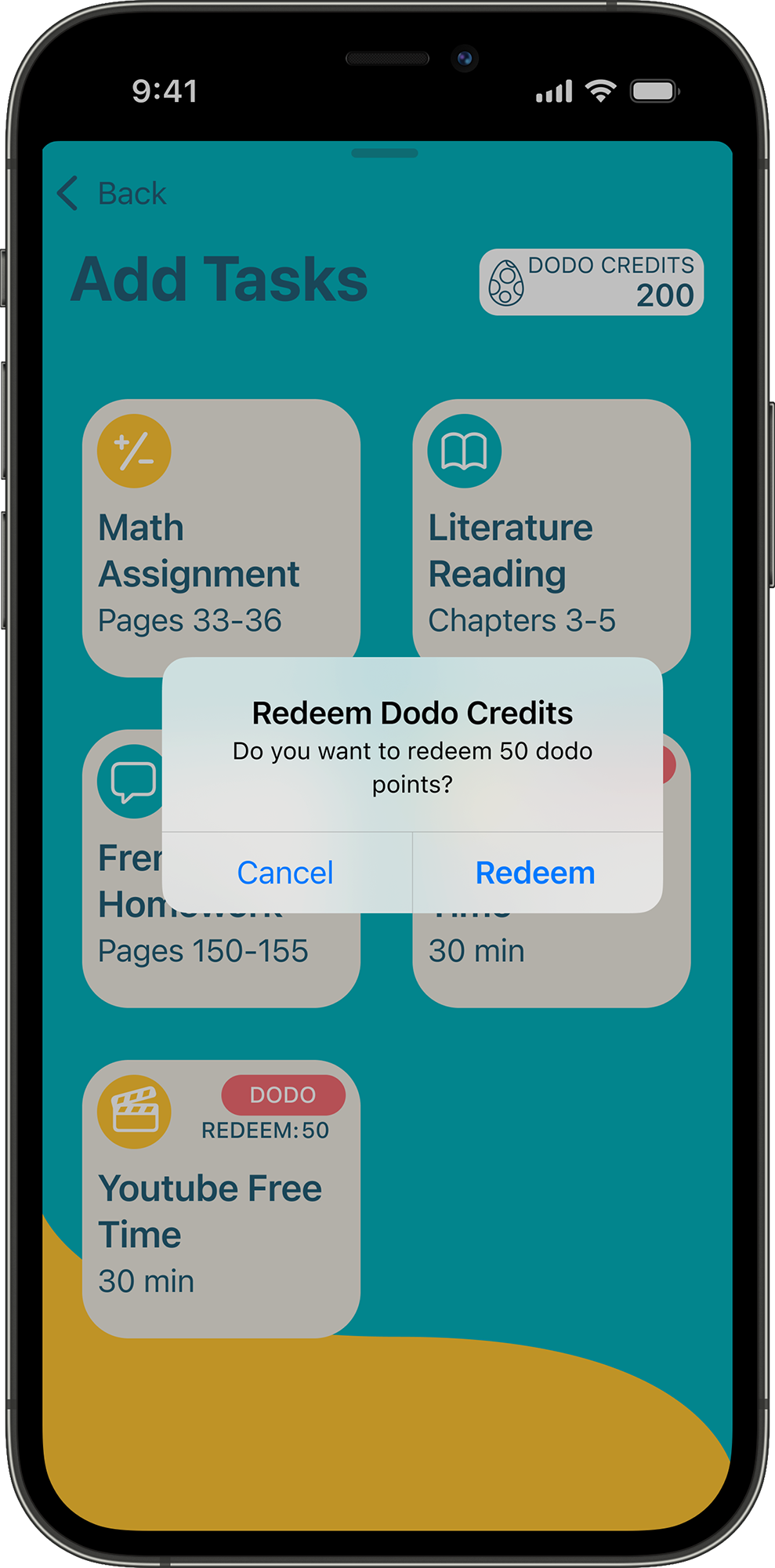
System confirmation box
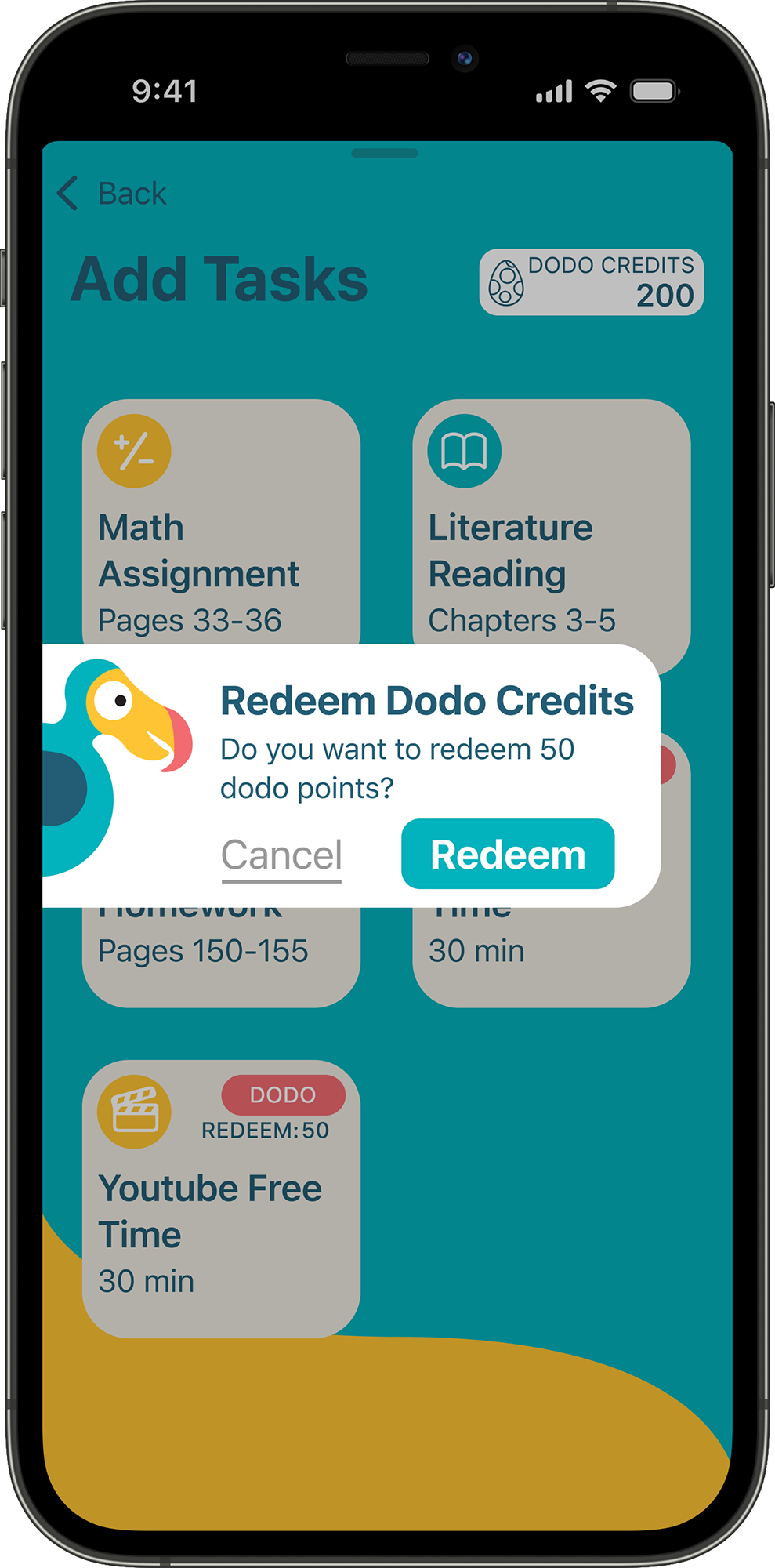
Branded confirmation box
Findings: Kid testers responded better to the branded confirmation modal. The system confirmation box felt abrupt and confusing, as if something had gone wrong. The custom version featured large, clearly labeled buttons and a friendlier tone, making the experience feel more approachable.
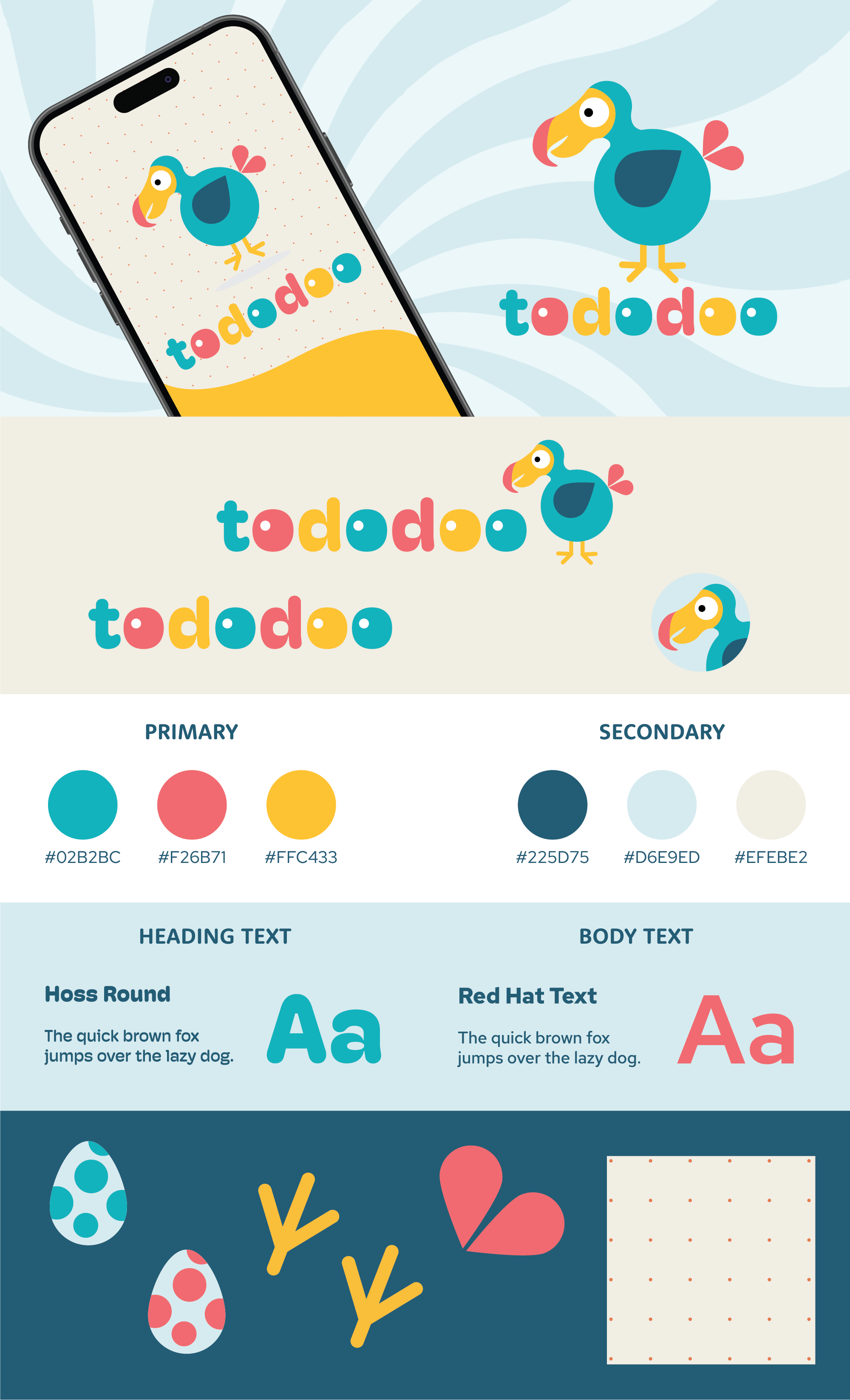
The Dodo Look and Fowl
Visual Identity
Tododoo's brand look and feel is bright, friendly, and clear, designed to engage kids while reassuring parents. This one-page style guide defines the visual language that brings the app's playful yet structured personality to life.
The App Takes Flight
Final Solution
Tododoo is a dual-interface app that guides young homeschoolers through their daily responsibilities while providing parents with flexible scheduling and oversight tools. Below are the core features of the child experience, designed to support independence, structure, and motivation.
Build Your Daily Checklist
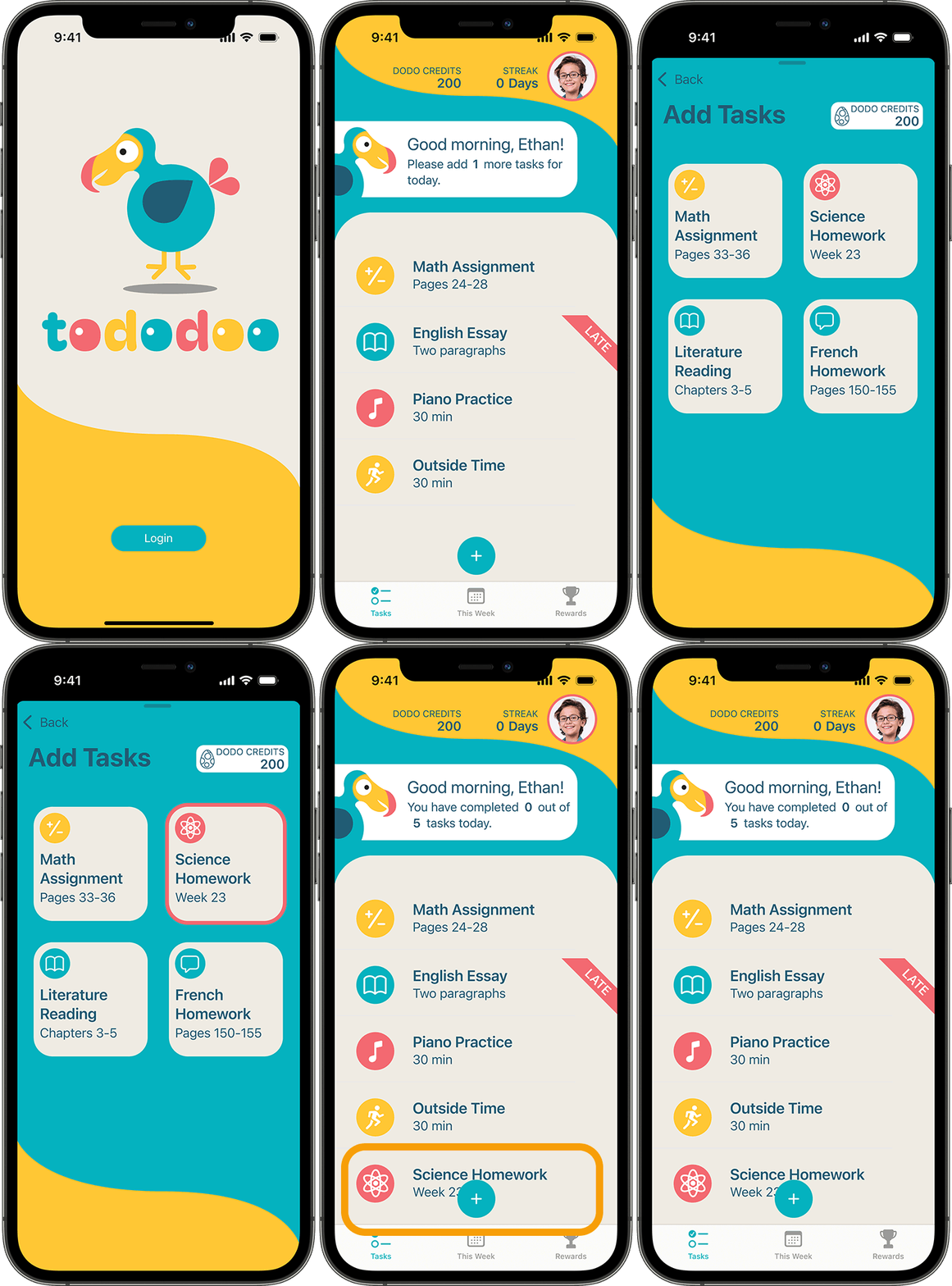
The daily task list begins with scheduled tasks and any incomplete items from the previous day. Parents can set a minimum number of required tasks. When the child opens the app, they are prompted to select additional tasks from a pre-defined list to meet that goal, fostering a sense of ownership.
Earn and Redeem Dodo Credits
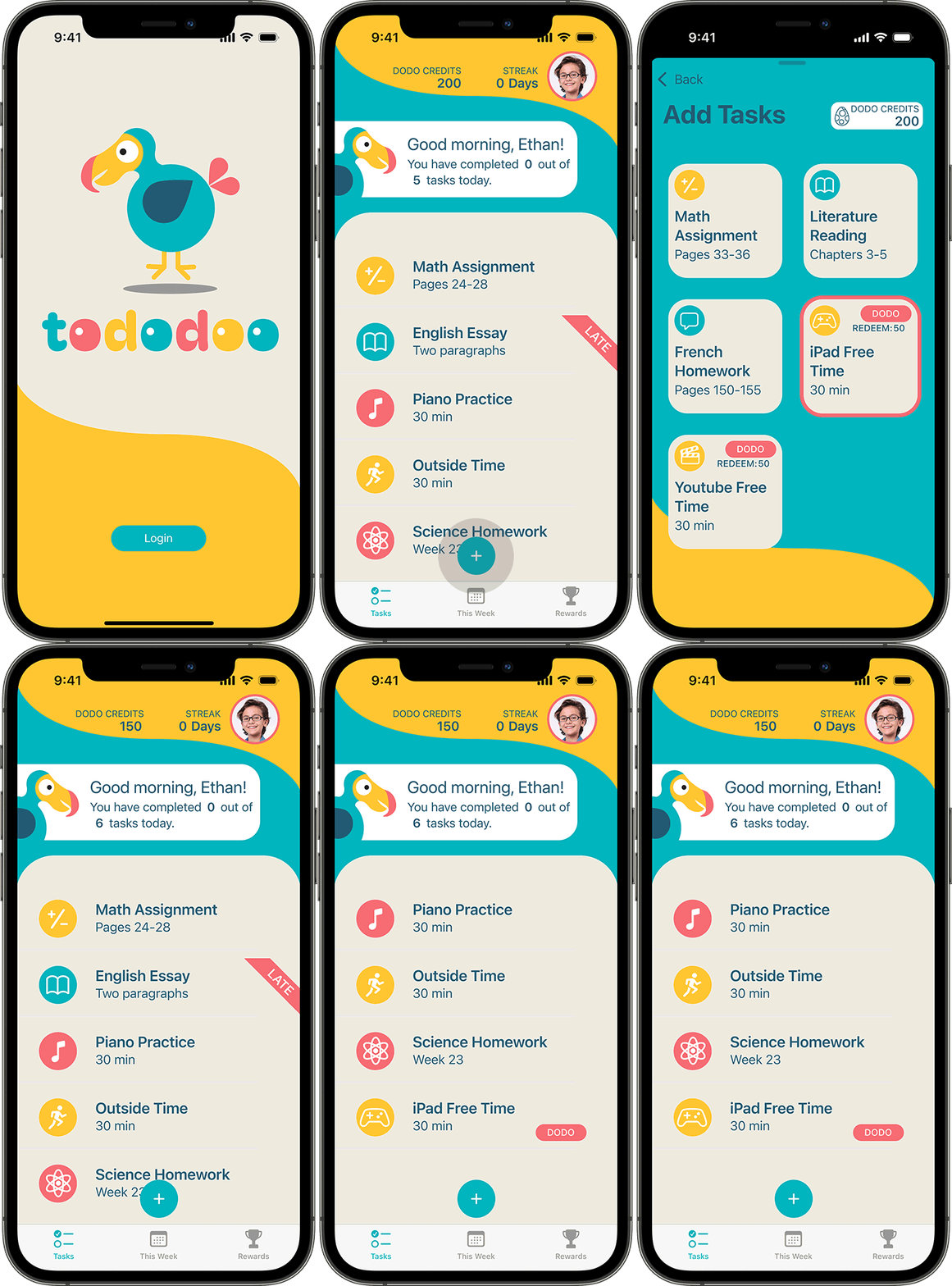
Completing required tasks earns dodo credits, which can be redeemed for fun, parent-approved activities such as iPad time. Kids can choose these from a special set of “dodo” tasks, reinforcing positive behavior with meaningful rewards.
Check Off Tasks with Swipe & Click
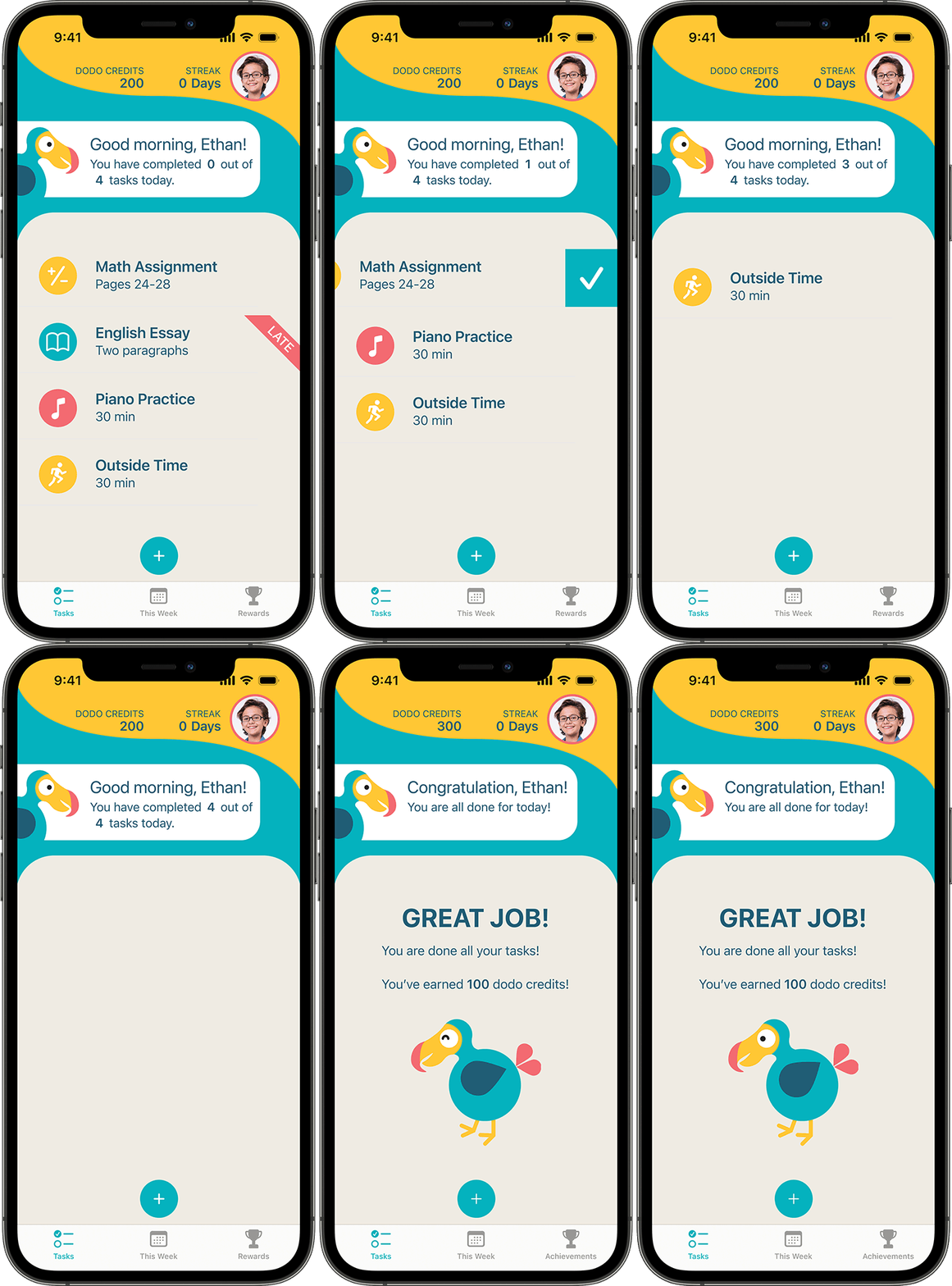
Tasks are completed using a swipe and click interaction that helps prevent accidental taps. Completing the full checklist earns credits and triggers a celebratory animation to reinforce a sense of accomplishment.
Preview the Week Ahead
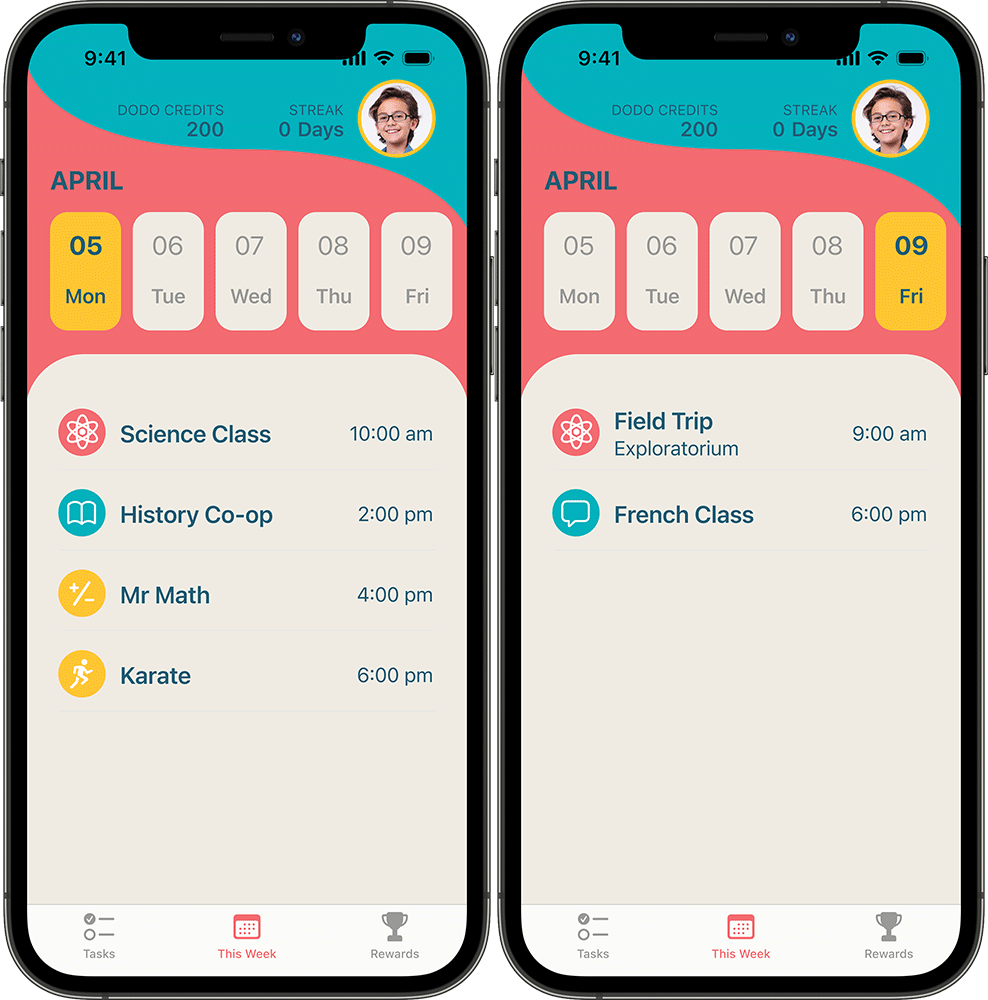
A calendar view lets children see upcoming classes and events. Parents can customize whether the calendar shows a five-day or seven-day rolling view, depending on what works best for their family's rhythm.
Track Progress and Earn Badges
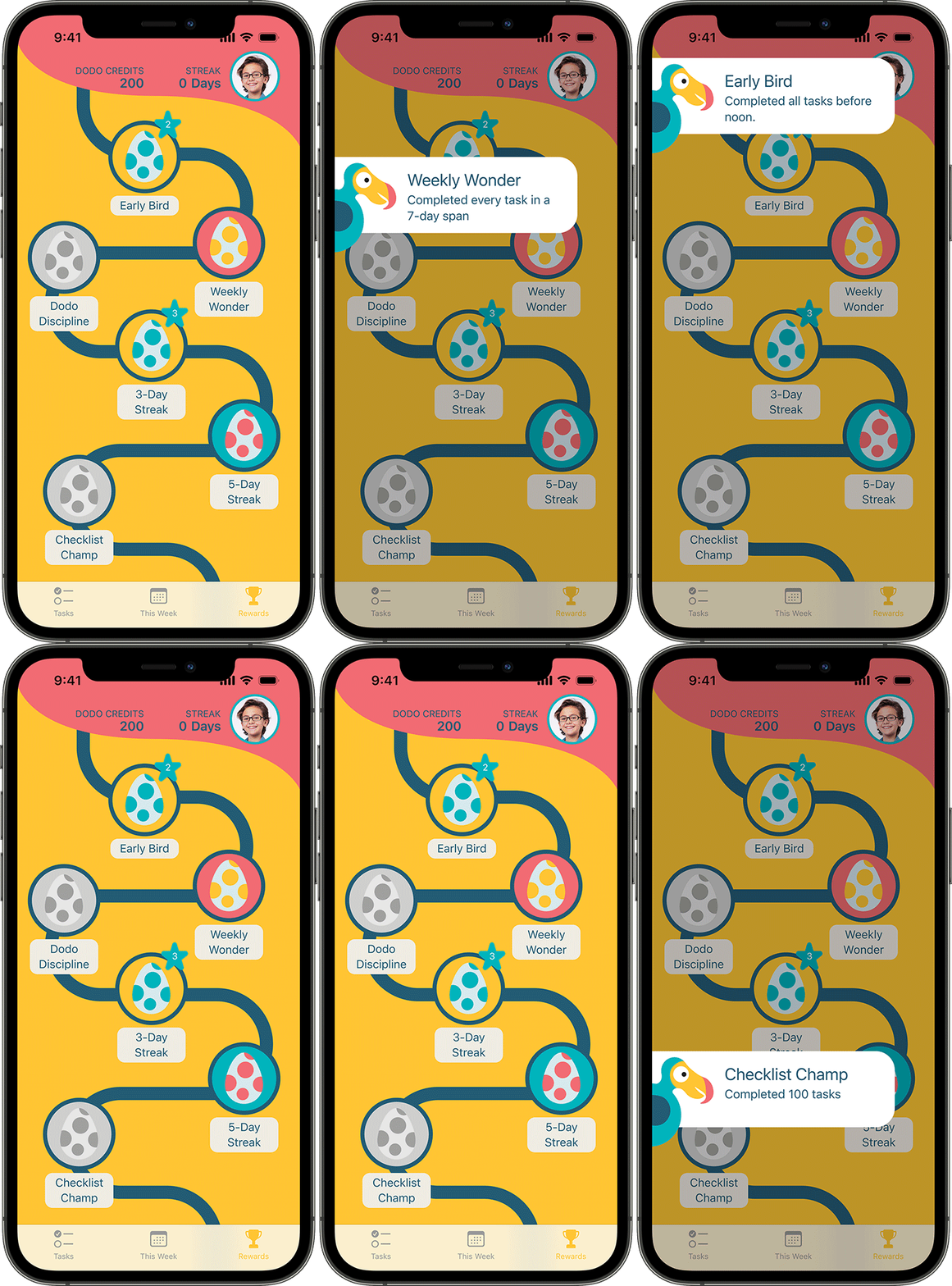
The Rewards tab showcases badges earned through consistency, such as completing checklists for three, five, or seven consecutive days. Each badge tracks how many times it has been earned, and tapping a badge reveals how to unlock it, encouraging ongoing effort and habit-building.
See Tododoo in Action
The following video walkthrough showcases the high-fidelity prototype of Tododoo from the child's perspective.
What's Nest
Reflections
This initial case study focused on designing the child-facing experience of Tododoo, but there is much more to explore. The next phase will include designing the full parent interface to support scheduling, task management, and multi-child coordination.
Future improvements to the kid experience may also include features tailored to older children, such as the ability to create and schedule their own homework tasks for parental review and approval. These enhancements aim to extend the app's usefulness as children grow, while still supporting structure, independence, and engagement.